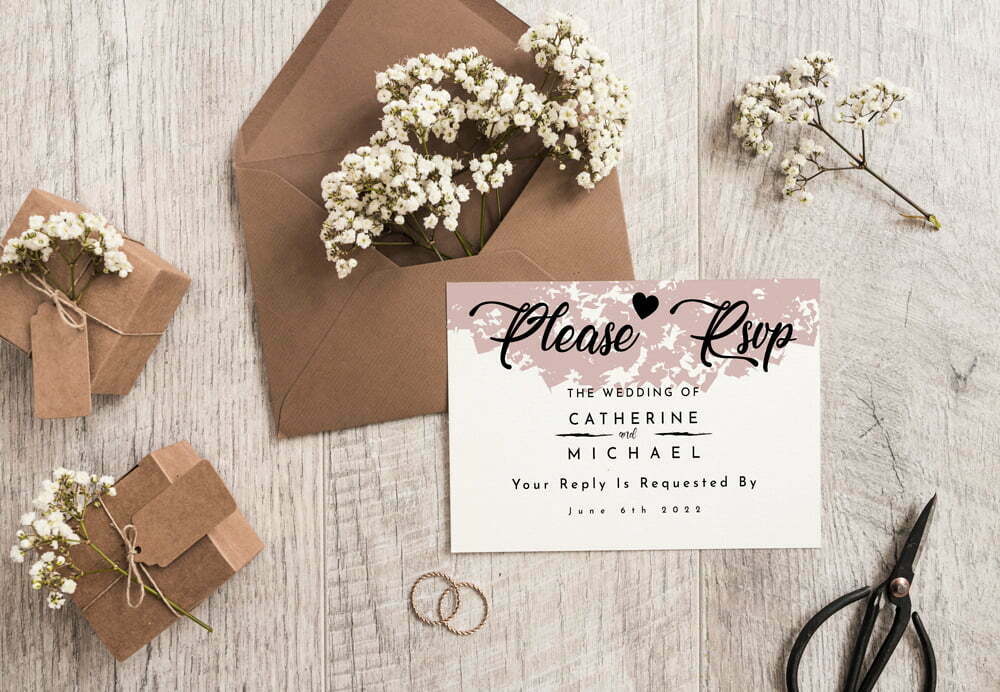
Personalised RSVP cards for wedding replies
Choose personalised RSVP cards that make it easy for guests to accept or decline your wedding invitation and return the details you need. A clearly planned response card can help you organise guest numbers, seating arrangements and meal plans. Select from the available templates, personalise the wording and coordinate the design with your wider wedding stationery.
Make wedding replies easier to manage
RSVP cards give each invited guest a defined place to reply. Rather than leaving responses open-ended, your card can ask guests to confirm whether they will attend and provide other relevant information, such as a menu preference. The existing product information also identifies music requests as an optional type of detail you may choose to collect.
Keep the card focused on information you will genuinely use. A concise layout is easier for guests to understand and gives you more consistent answers when you begin planning seating and catering. Your invitation can carry the full event details, while the RSVP card handles the response.
What to include on an RSVP card
Your exact wording will depend on the event and the information you need, but a practical card may include:
- A clear request for the guest to accept or decline
- The guest’s name or a space for them to add it
- Your chosen reply deadline
- Menu preference fields, if they are relevant to your plans
- A music request field, if you want to invite suggestions
- The method or details needed to return the response
The previous product guidance recommends sending invitations at least six to eight weeks before the wedding and setting an RSVP deadline at least two to three weeks before the ceremony. Treat this as planning guidance rather than a fixed rule: choose dates that fit your own venue, suppliers and guest arrangements.
Personalise a coordinated design
The available RSVP templates are intended to work with different wedding themes, looks and colours. You can choose an RSVP card as part of a coordinated wedding collection so that it sits naturally with your other printed pieces. For the core invitation, visit personalised wedding invitations; for ceremony stationery, see wedding order of service printing.
The product’s design and upload functions are enabled. The uploader accepts JPG, JPEG and PDF files at a minimum of 300dpi and allows up to two files, in line with the two-sided card setup recorded for this product. If you supply artwork, make every response line and tick-box area clear enough for guests to use.
How to order RSVP cards
- Decide what you need to collect. Confirm the attendance, meal and other response fields before you begin the layout.
- Choose a template or artwork route. Personalise an available design or use the supported upload option.
- Add your wording. Include the reply deadline and clear instructions for returning the response.
- Select the available product options. Use the current configurator on the product page rather than relying on options mentioned elsewhere.
- Check the final card. Read every line as if you were a guest completing it, then confirm your selections and add the order to your basket.
For artwork preparation, browse the templates and help section. If you need assistance choosing or preparing a design, use the contact page.
Related wedding stationery
RSVP cards can be coordinated with stationery used throughout the celebration. Alongside your invitations and order of service, you may want to consider place names or a table plan once replies are confirmed. Explore more options in the wedding printing collection.
Start your order by choosing an RSVP design, adding the information you need and completing the options currently displayed on the product page.